Hi, I'm Serkan Tulunay. I've been programming since high school and I've kept improving myself through university, personal projects and self study. I'm currently learning game engine and graphic programming where my main goal is to participate in innovating new technology and give developers the tools needed to create their dream games
GAME PROJECTS
Something's Off
September 15, 2025 - October 10 2025
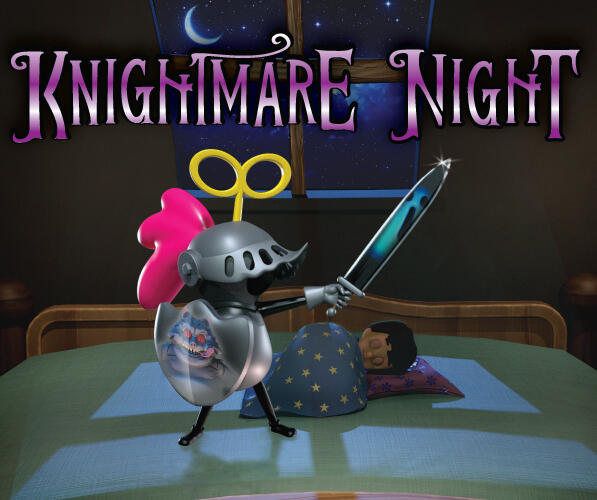
Knightmare Night
October 22, 2024 - November 12, 2024

Asteroid Explorer
April 28, 2025 - June 16, 2025

Secrets Of The Mansion
January 16, 2025 - February 13, 2025
Information
Engine: Unity
Language: C#
Duration: 3 Weeks
Version Control: Perforce
Contributions
Enemies
AI
About Project
Knightmare night is a game where you're a toy knight and want to protect your kid from getting nightmares by defeating nightmare ghost until the sun arises. You can hack and slash, throw your shield to hit the ghosts from distance.
AI
The AI uses a behaviour tree which has nodes that holds the behaviour for the enemy. I decided to create a base enemy tree behaviour class so I can create sub classes of the behaviour tree, where each enemy type had their own type of behaviour tree. The tree has a node class which represents tasks/ behaviours. By creating new task we can assign these tasks to the behaviour tree but also to the root node which will store other nodes inside.
Behaviour Tree
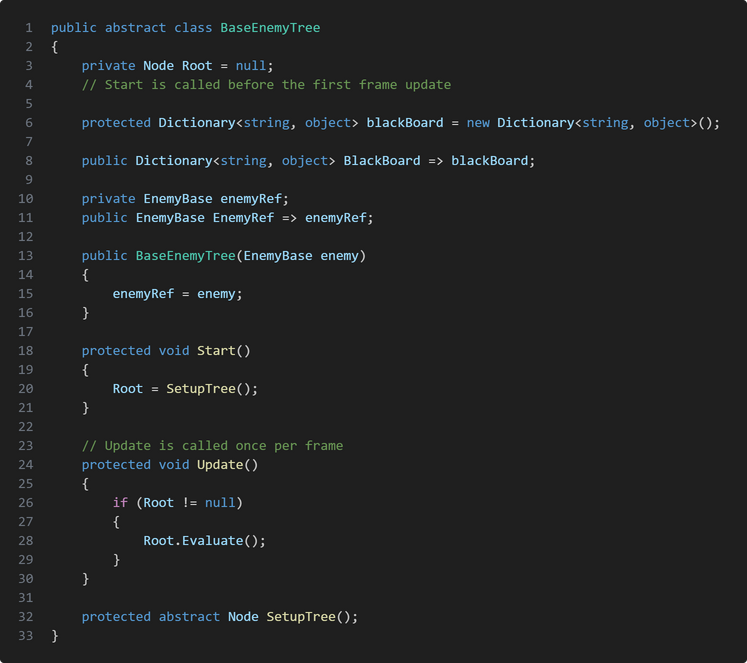
The BaseEnemyTree is an abstract class that holds is meant to be inherited by other behaviour trees for specific enemy types. The root node represents the starting point of the behaviour tree and gets evaluated each frame which in turn starts the enemy's decision making and actions. The class also has a blackboard that allows the ai to store or retrieve information.The tree also has a reference to the enemy game object for future uses.in start we assign the root node to the return value of SetupTree() function. In the Base class it's an abstract function but SetupTree() is where we create our root node and if we want to create a more complicated behaviour tree we can add node children to the root node.
Node
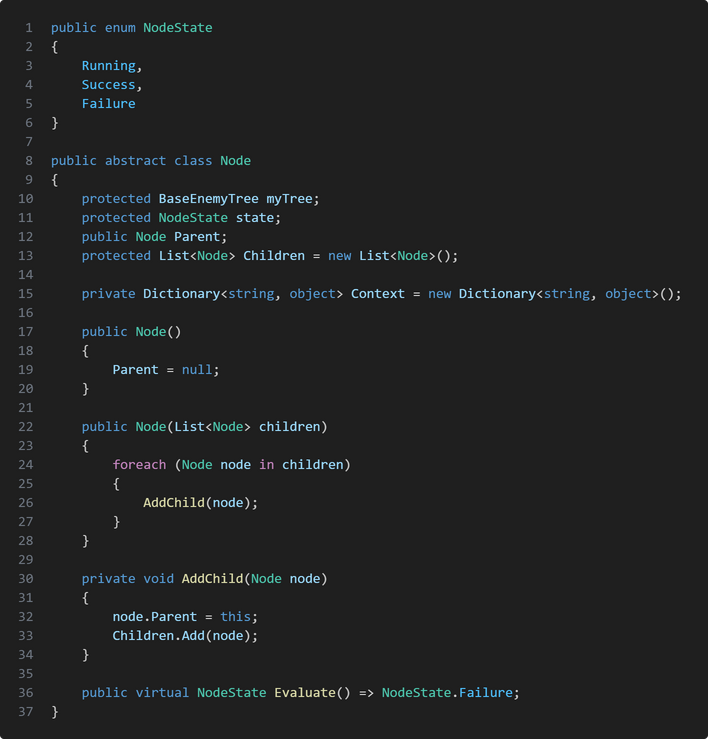
Nodeis an abstract class that other behaviour inherits from. Each Node will have the reference to the tree that uses the node but the nodes can also have more child node to make complicated AI behaviour which is also why the nodes need states so we can manage what happens if the node fails, succeeds or is running.The node TaskMoveToKid is a node that we use in all of the behaviour trees which get's initialized in the SetupTree() function. If we want to make a more complicated behaviour tree.The Evaluate() function is the behaviour itself, where we get the function from our enemy reference.
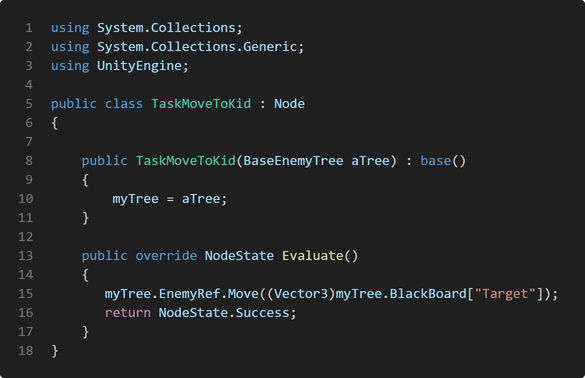
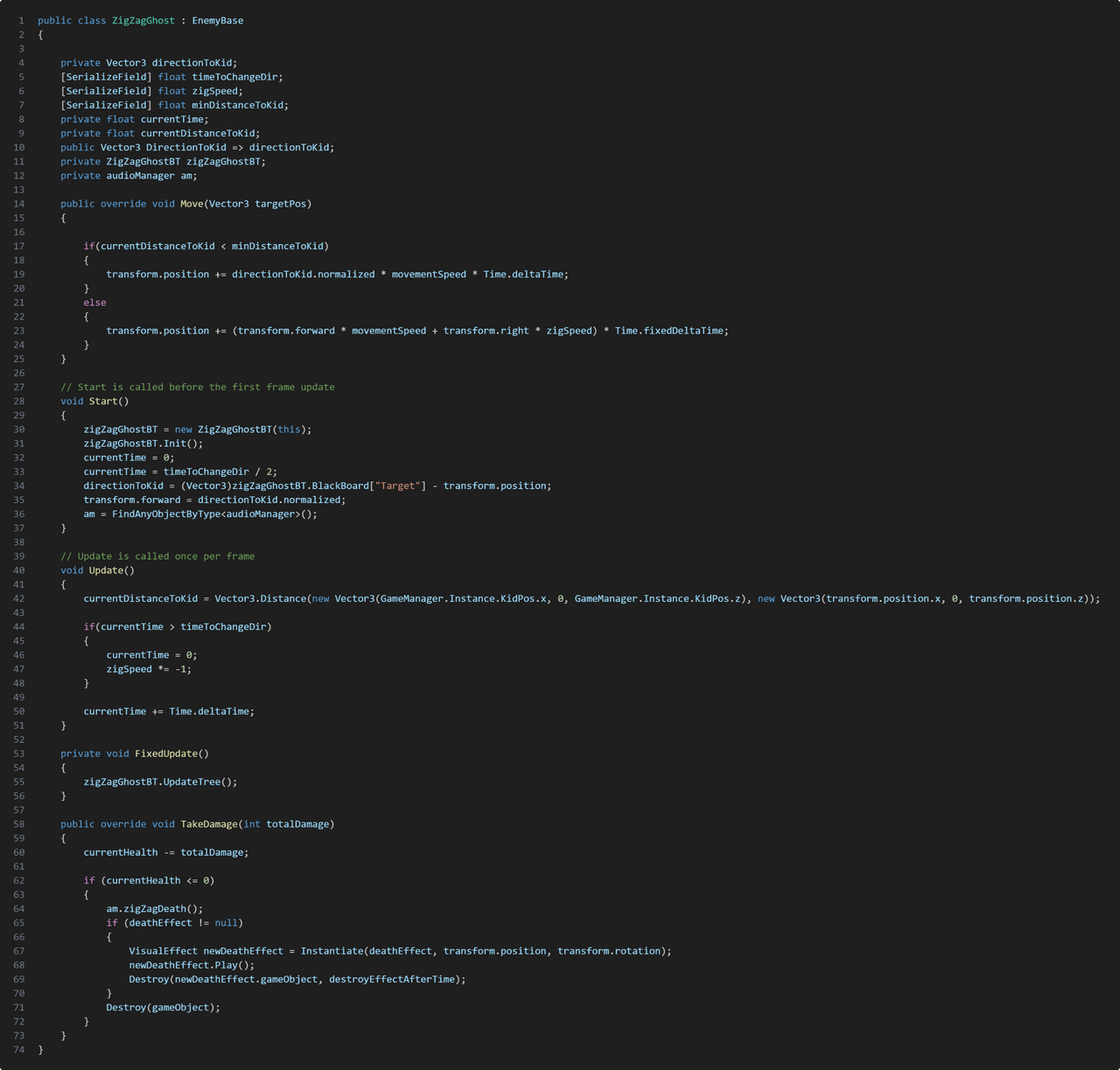
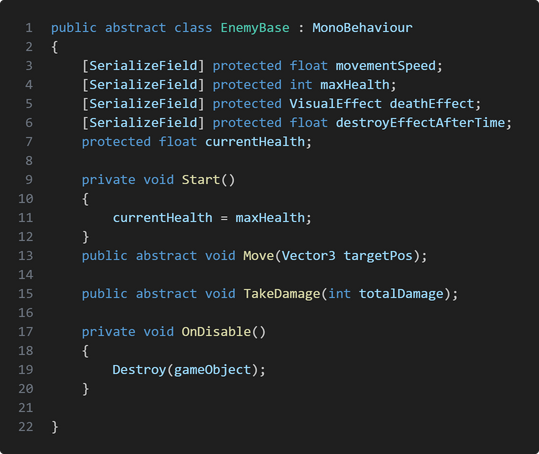
Enemies
In knightmare night we have 3 different enemy type which inherits from the base enemy class EnemyBase. Those enemy types are Mare, Ghost and ZigZagGhost. All of the enemies behaviour can get damaged and killed by the player and they have some features that differentiate them.The Ghost and ZigZagGhost enemy is very similar to eachother. They both die in one hit but they have different moving pattern. The ghost is our simples enemy to defeat. It's slow and moves in a straigth line but it has a fast spawn rate which is meant to overwhelm the player.The ZigZagGhost is faster than the Ghost and has a tricky movement pattern going left to right making it difficult to hit by throwing the shield, but has a lower spawn rate than the Ghost.Mare is the tank of the enemy. It's super slow and has the same movement pattern as the Ghost but can take multiple hit. If the player damages it once the Mare will be stunned for a short duration.
Take Aways
Knightmare night was my first game project where I got to work with other discipline. I learned a lot how important communication is which I'm planning to better
Information
Engine: Unity
Language: C#
Duration: 4 Weeks
Version Control: Perforce
Sound Engine: FMOD
Contributions
Player character
Movement system
Interaction system
Implementation of Animation
Implementation of Sounds